Most owners did not start a business to do bookkeeping. Yet the books decide whether the business survives, and that is exactly where small business accounting software helps. In a February 2026 Bluevine survey of 785 US owners, 42% named bookkeeping as their biggest weekly time drain. In addition, 56% faced serious cash flow problems within their first three years.
This kind of software records every sale, purchase and expense, tracks who owes you money, and turns those entries into reports you can act on. As a result, you spend less time on paperwork and more time on customers.
This guide explains what small business accounting software does, which features matter, and how to choose one. It also covers the mistakes to avoid when you switch. Whether you run a grocery store, a pharmacy, a clothing shop or an online store, you will finish with a clear checklist.
What Is Small Business Accounting Software?
Small business accounting software is a digital tool that records your money in and money out. It replaces the paper ledger, the receipt box and the scattered spreadsheet with one organised system.
At its simplest, the software does three jobs. First, it captures transactions: sales, purchases, expenses and payments. Second, it sorts them into accounts, such as cash, customer dues and stock. Third, it turns those records into reports, like a profit and loss statement or a cash flow summary.
Most modern tools run in the cloud. That means your data is stored online, backed up automatically and available on your phone or laptop. Many also work on mobile, which suits shop owners who rarely sit at a desk.
Bookkeeping vs accounting: what is the difference?
People often use the two words as if they mean the same thing. However, they describe different stages of the same work.
- Bookkeeping means recording daily transactions accurately and on time.
- Accounting means reading those records to understand profit, cash flow and tax position.
Good software handles the bookkeeping for you and makes the accounting easier to understand. For example, once you record every sale, the software can calculate daily profit without any manual maths.
Why Paper Ledgers and Spreadsheets Stop Working
Paper and spreadsheets are free, familiar and flexible. For a brand-new business with a handful of transactions, they can be enough. Still, they break down quickly as the business grows.
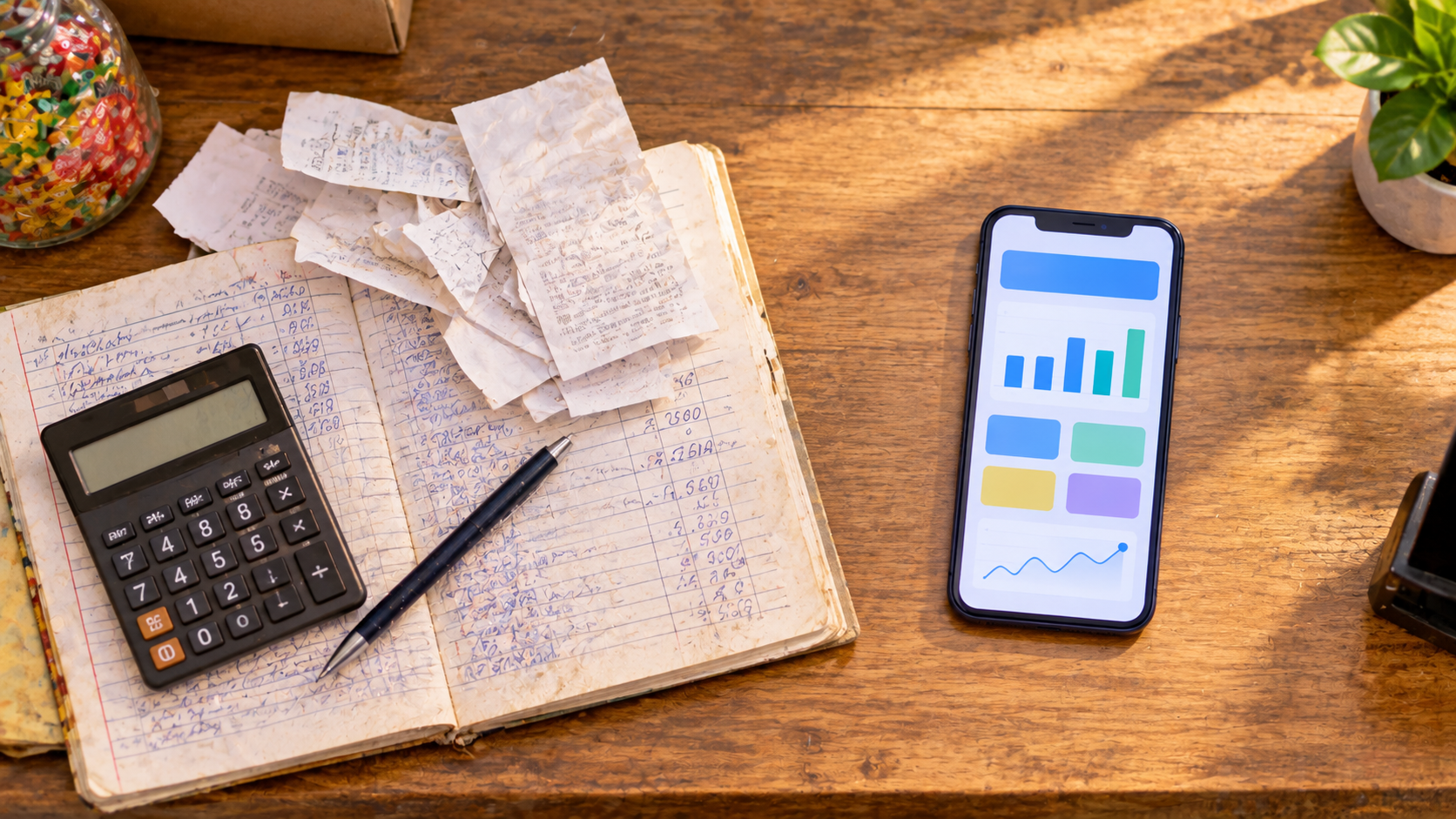
A QuickBooks survey of 400 small business owners found that 64% did their bookkeeping by hand. Meanwhile, 40% called bookkeeping and taxes the worst part of running a business. That frustration usually comes from a few common problems:
- Errors multiply. One wrong formula or a missed entry can throw off a month of figures.
- Records get lost. A ledger can be damaged, misplaced or left at the shop when you need it.
- Dues slip through the cracks. It is easy to forget who bought on credit and how much they still owe.
- Stock and money live in different places. You may know today’s sales but not what is left on the shelf.
- Reports take hours. Working out monthly profit by hand often means a long night of adding numbers.
Cash flow is where these gaps hurt most. The Federal Reserve’s Small Business Credit Survey found that 51% of US employer firms faced uneven cash flow. The survey counts collecting money from customers as part of that problem. In other words, money owed to you but not yet collected is a major pressure point. A clear, current record of customer dues is one of the fastest ways to ease it.
Signs you have outgrown manual bookkeeping
- You cannot say today’s profit without a calculator and an hour to spare.
- Customers argue about how much they owe.
- Your best-selling items run out without warning.
- Staff handle cash, and you cannot check the totals.
- Month-end figures never match the cash in your drawer.
If two or more of these sound familiar, it is time to switch.
9 Core Features of Small Business Accounting Software
Not every business needs every feature. Nevertheless, the following nine cover the daily needs of most small retailers, wholesalers and service businesses.
1. Sales and purchase recording
Every tool should let you record a sale or a purchase in seconds. Look for quick entry, the option to sell in cash or on credit, and support for partial payments. For instance, if a customer pays half now and half later, the software should split the amounts for you.
2. Expense tracking
Rent, electricity, salaries, transport and packaging all eat into profit. Good software lets you create expense categories, attach a photo of the receipt, and filter costs by day, week or month. As a result, you can spot rising costs before they become a problem.
3. Customer credit and supplier dues
Many small businesses sell on credit to regular customers and buy on credit from suppliers. The money customers owe you is called accounts receivable. The money you owe suppliers is accounts payable. Good small business accounting software should show both clearly, with a full history for each customer or supplier. Even better, it should send payment reminders by SMS, so you do not have to chase people in person.
4. Inventory tracking
For product businesses, stock is money sitting on a shelf. Small business accounting software with built-in inventory updates stock every time you buy or sell. It can also warn you when an item runs low. Therefore, you avoid both empty shelves and over-buying.
5. Invoices and receipts
Professional invoices and receipts build trust. Look for tools that create them after each sale and let you print, download or share them on messaging apps. Some tools also track warranties and expiry dates, which matters for electronics shops and pharmacies.
6. Financial reports
Reports are where small business accounting software pays for itself. At minimum, you want:
- a profit and loss report (are you actually making money?)
- a sales report (what sells, and when?)
- a purchase and expense report (where is the money going?)
- a stock report (what do you hold, and what is it worth?)
- a dues report (who owes you, and whom do you owe?)
The best tools let you filter these by date and download them as PDF. That way, you can share them with a partner, an accountant or a lender.
7. Cash flow visibility
Profit and cash are not the same thing. A business can show a profit on paper and still run short of cash. So, look for a cash box or cash flow view that lists every cash in and cash out, including manual entries. This helps the cash in your drawer match the cash in your records at the end of each day.
8. Multi-user access with permissions
Once you hire staff, you need to share the work without sharing everything. Choose software that gives employees, managers or partners their own login. Ideally, you can decide exactly which screens each person sees. This protects sensitive data and reduces the risk of errors or theft.
9. Cloud backup, mobile access and offline mode
Your records should survive a lost phone or a broken laptop, and cloud backup handles that. Mobile access, meanwhile, lets you check sales from anywhere. Offline mode matters too, especially where internet is patchy. The app should keep working and then sync once you reconnect.
Accounting Software vs a Business Management System
Here is a choice many owners do not realise they are making. Some tools put accounting first. They are excellent at ledgers, tax categories and bank matching, but they assume you manage stock, staff and sales elsewhere.
Other tools act as a business management system. They combine accounting with point of sale, inventory, customer dues, staff access and sometimes an online shop. For a small retailer, this often makes more sense. The numbers come straight from daily work instead of being typed in twice.
| If you mainly need… | Consider… |
|---|---|
| Tax filing, bank feeds and an accountant-ready general ledger | An accounting-first tool, often with a bookkeeper |
| Daily sales, stock, customer credit and expenses in one place | A business management system with built-in accounting |
| Both, with a growing team | A business management system for daily work, with reports exported to your accountant |
Neither option is wrong. The right answer depends on where your daily pain sits. If most of your time goes into tracking sales, dues and stock, a business management system will save more hours.
How Different Small Businesses Use Accounting Software
The core features of small business accounting software stay the same, but each industry leans on them differently.
- Grocery and convenience stores: Hundreds of fast-moving items and many regular customers on credit. The due ledger and low-stock alerts do most of the heavy lifting.
- Pharmacies: Long product lists and strict expiry dates. Barcode search and expiry tracking cut waste and keep shelves safe.
- Clothing shops: Many sizes, colours and seasonal lines. Sales reports reveal which designs sell and which turn into dead stock.
- Wholesalers and distributors: Large credit balances on both sides. Clear receivable and payable reports protect cash flow.
- Electronics and mobile shops: High-value items with warranties. Warranty tracking and customer records reduce disputes.
- Online sellers: Orders arrive from social media and websites. Software that links stock, orders and payments prevents overselling.
How to Choose the Right Small Business Accounting Software
With hundreds of options available, comparing features one by one quickly becomes tiring. Instead, work through these seven steps.
- List your daily tasks. Write down what you record every day: sales, purchases, credit, expenses and stock. The software must handle these first.
- Check how easy it is. If you or your staff find the app confusing, nobody will use it consistently. So, try the free version or trial before paying.
- Confirm mobile and offline support. If you work from the shop floor, a phone app matters more than a desktop dashboard.
- Look at the reports. Open the sample profit and loss and dues reports. Can you understand them in under a minute?
- Test the credit and reminder features. If you sell on credit, this feature alone can recover real money.
- Ask about data security and backup. Your financial data is sensitive. Make sure it is encrypted, backed up and easy to export.
- Compare the full cost. Include subscription fees, add-ons such as SMS credits, and the time saved. A slightly higher price often pays for itself if it replaces two or three separate tools.
Questions to ask before you commit
- Can I add more than one shop or branch later?
- Can I use my local currency and phone number?
- Can my staff log in without my password?
- How do I get my data out if I switch tools?
- What support is available, and in which language?
Free vs Paid Small Business Accounting Software
Many owners search for free small business accounting software first, and for good reason. Free plans are a sensible way to start. However, they usually come with limits, such as a cap on transactions, fewer reports, no staff access or no automatic backup.
A practical approach is to start free and record real transactions for two to four weeks. Then decide. By then, you will know which missing features actually cost you time or money. Paid plans tend to make sense once you have regular credit customers, staff who need access, or more than a few hundred products.
Common Mistakes When Switching to Accounting Software
Moving from paper to small business accounting software is a big step. Avoid these common mistakes, and the switch will be much smoother.
- Skipping opening balances. Enter your current cash, stock and outstanding dues on day one. Otherwise, your reports will be wrong from the start.
- Mixing personal and business money. Keep personal spending out of the business records so your profit figure stays honest.
- Recording only some transactions. Partial records create false confidence. Record every sale, even small cash ones.
- Not training staff. A ten-minute walkthrough prevents weeks of messy data.
- Forgetting to back up. If your tool needs manual backup, make it a daily habit.
- Never reading the reports. Software only helps if you look at the numbers. Set a weekly reminder to review profit, dues and stock.
How to Set Up Your Books in the First Week
A clean start makes everything easier. Here is a simple seven-day plan.
- Day 1: Install the app, create your business profile and set your currency.
- Day 2: Add your products with purchase price, sale price and current stock.
- Day 3: Add regular customers and suppliers, along with any dues on either side.
- Day 4: Set up expense categories, such as rent, utilities, salaries and transport.
- Day 5: Record every sale and purchase in the app, not on paper.
- Day 6: Add staff accounts and set their permissions.
- Day 7: Open your first weekly profit and loss report and compare it with your cash drawer.
By the end of the week, you will have a working system and a baseline to measure against.
How Hishabee Simplifies Small Business Accounting
The problem. Many owners juggle a paper ledger for credit, a notebook for expenses and memory for stock. Consequently, month-end figures rarely match, dues go uncollected, and nobody knows the real daily profit.
The solution. Hishabee is a Business Management System built for small shops, retailers and wholesalers. Rather than an accounting-only tool, it brings daily work into one mobile app:
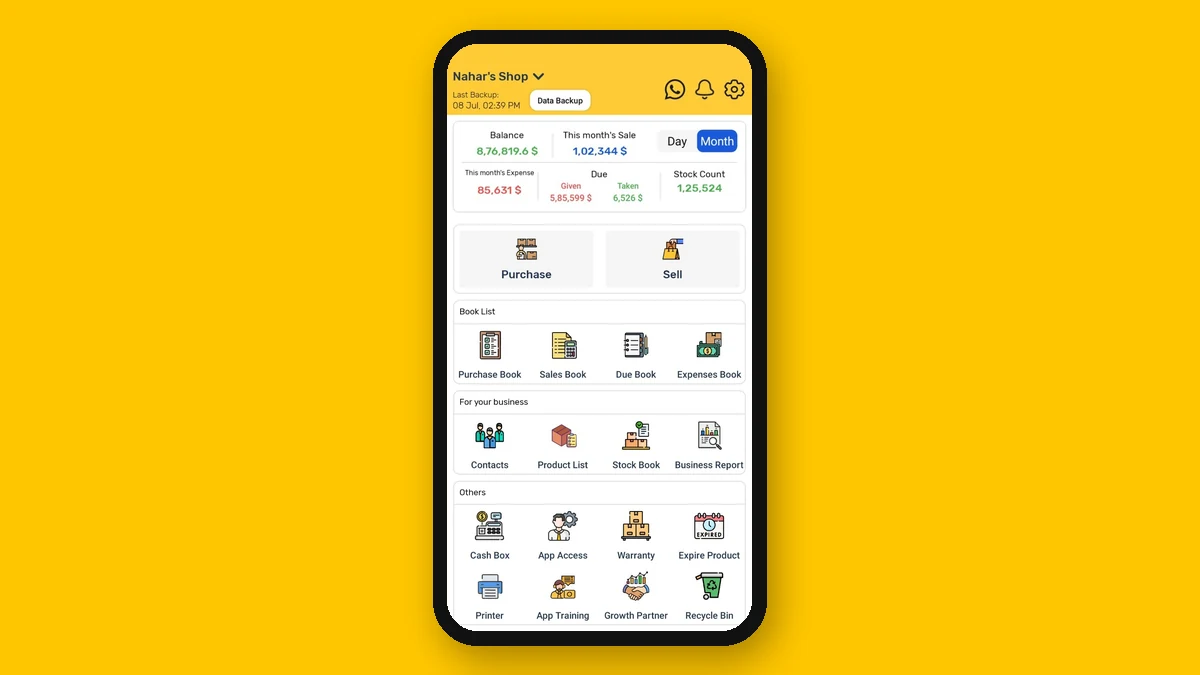
- Sales and purchases in cash, on credit or partly paid, with printable and shareable receipts
- A digital due ledger for customer credit and supplier payments, with SMS payment reminders
- Expense tracking by category, with receipt photos
- Inventory that updates with every sale and purchase, plus low-stock alerts, barcode support and expiry tracking
- Business reports, including profit and loss, sales, purchase, stock, expense and best-customer reports, all downloadable as PDF
- A cash box that logs every cash in and cash out
- Staff access with role-based permissions, so employees never need your PIN
- Cloud backup, multi-shop support and multi-currency, so you can run the business from anywhere
The benefit. Because every entry happens at the point of sale, the accounting builds itself. You see today’s profit, outstanding dues and stock value in a few taps. You also spend less time chasing payments and more time growing the business.
Still keeping books by hand? Try recording one week of sales and dues in Hishabee, then compare the result with your ledger. You can download the Hishabee app on Google Play and start with your first transaction today.
Final Thoughts
Small business accounting software is no longer a luxury for large companies. It is a practical tool that saves time, reduces errors and shows where your money really goes. Start with your daily tasks, pick a tool your team will actually use, and set it up properly in the first week. After that, review your reports every week. Over time, those numbers will guide better decisions on pricing, stock and credit, and that is where real growth begins.
Frequently Asked Questions
What is the best small business accounting software?
The best option depends on your daily work. If you mainly need tax filing and bank feeds, an accounting-first tool fits. If you manage sales, stock and customer credit every day, a business management system with built-in accounting usually saves more time.
Is there free small business accounting software?
Yes. Many tools offer free plans or trials. However, free plans often limit transactions, reports, staff access or backup. Start free, use it for a few weeks, and upgrade only when a missing feature costs you time or money.
Can I do small business accounting on my phone?
Yes. Many modern apps let you record sales, expenses and dues from your phone. Look for an app with cloud backup and offline mode, so your data stays safe and you can keep working without internet.
Do I still need an accountant if I use accounting software?
Software handles daily bookkeeping and reports. For tax filing, audits or complex decisions, an accountant still adds value. Clean records from your software also make their work faster and cheaper.
How does accounting software help with cash flow?
It shows exactly how much cash came in and went out, and who still owes you money. Payment reminders help you collect dues faster. As a result, you can plan purchases and expenses with real numbers.
Is small business accounting software safe?
Reputable tools encrypt your data and back it up to the cloud. Before choosing, check how the provider protects data and whether you can export your records at any time.
How long does it take to switch from a paper ledger?
Most small businesses can set up in about a week. Add products, customers, suppliers and opening balances first. Then record every new transaction in the app from that day on.