A customer buys something from your shop. They hand over the money. You pack the item. Then they ask — “Can I get a receipt?”
For many small business owners, that simple question creates an awkward pause. Some scramble for a handwritten receipt book. Others offer nothing at all. In both cases, the business looks less professional than it should.
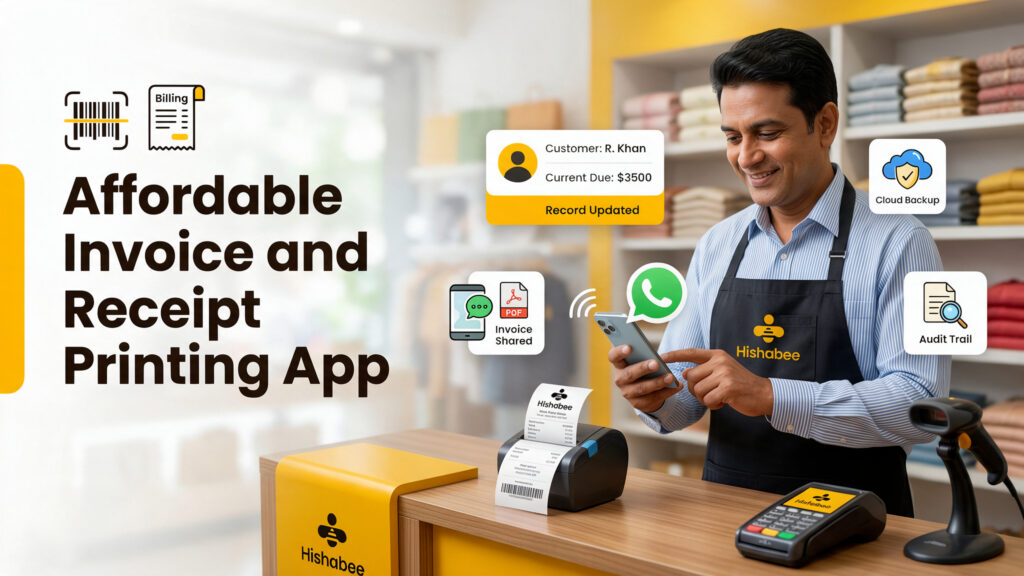
This is a common problem — and it is entirely avoidable. An affordable invoice and receipt printing app gives any small business the ability to print clean, professional receipts and invoices on the spot, using nothing more than a smartphone and a small Bluetooth printer.
In this guide, you will learn what these apps do, why they matter for small businesses, what features to look for, and how to choose the right one for your needs.
Why Receipts and Invoices Matter More Than Most Owners Think
Many small business owners treat receipts as an afterthought. However, receipts and invoices do far more than acknowledge a transaction. They are a direct reflection of how professionally your business operates.
Here is what a proper receipt or invoice does for your business:
- Builds customer trust — A printed receipt signals that your business is organized and legitimate
- Reduces disputes — Clear records prevent disagreements about what was purchased, at what price, and when
- Supports returns and exchanges — Customers need proof of purchase for after-sale service
- Helps with bookkeeping — Every printed receipt is a transaction record that supports your financial tracking
- Creates a professional image — Even a small shop looks more credible when it issues printed receipts
Furthermore, in many countries, issuing receipts is a legal or tax requirement for businesses above a certain revenue threshold. Therefore, getting into the habit early protects you as your business grows.
An affordable invoice and receipt printing app makes all of this easy — without expensive cash register systems or complex point-of-sale hardware.
What Is an Invoice and Receipt Printing App?
An invoice and receipt printing app is a mobile application that lets you create and print professional invoices and receipts directly from your smartphone or tablet.
Instead of relying on a traditional cash register or a desktop billing system, you use the app to:
- Record a sale
- Generate an itemized receipt or invoice
- Print it instantly via a connected Bluetooth thermal printer
- Or share it digitally by SMS, email, or messaging app
In other words, your smartphone becomes your complete billing station. As a result, this setup is dramatically more affordable than a traditional POS system — and far more flexible, since you can use it anywhere.
How Invoice and Receipt Printing Apps Work
Understanding how these apps work helps you choose the right one. In general, the process follows these steps:
Step 1: Record the Sale
First, you open the app and enter the items sold, quantities, and prices. Many apps let you save a product catalogue so you can select items quickly rather than typing them each time.
Step 2: Apply Discounts or Taxes
Next, the app calculates any applicable discounts or tax amounts automatically. As a result, you avoid manual arithmetic errors on every transaction.
Step 3: Generate the Receipt or Invoice
Then, the app produces a formatted receipt or invoice. This includes your business name, the transaction details, the total amount, and the date. Most apps also let you add your logo for a more professional appearance.
Step 4: Print or Share
After that, you print the document via a connected Bluetooth thermal printer — or share it digitally with the customer via WhatsApp, SMS, or email. Finally, the transaction gets recorded automatically in your sales history.
Key Features to Look for in an Affordable Invoice and Receipt Printing App
Not every app in this category offers the same value. Therefore, here are the features that matter most for small business owners.
Bluetooth Thermal Printer Compatibility
The app should connect reliably to standard Bluetooth thermal printers. In addition, it should support the most commonly available printer models so you are not locked into expensive proprietary hardware.
Customizable Receipt and Invoice Templates
Look for an app that lets you add your business name, logo, address, and contact details to every receipt. For example, a branded receipt looks far more professional than a generic one — and it reinforces your business identity with every transaction.
Product Catalogue
A built-in product catalogue lets you save your items with names, prices, and units. As a result, creating a receipt takes seconds instead of minutes, even when you have dozens of products.
Digital Sharing Options
Not every customer wants a printed receipt. Therefore, the app should also let you share receipts digitally — by email, SMS, or messaging apps like WhatsApp. This is especially useful for delivery businesses, online sellers, and service providers who work away from a fixed location.
Sales Records and Reports
Beyond printing, a good app should store every transaction. Consequently, you build a running record of your daily sales without any extra effort. Over time, this data becomes valuable for understanding your business performance.
Multi-user or Multi-device Access
For businesses with more than one staff member handling sales, the app should support multiple users or devices. Moreover, cloud-based apps let you review your sales from any device — even if you are not at the shop.
Affordable Pricing
The app should cost significantly less than a traditional POS system. In fact, many excellent invoice and receipt printing apps are available for a low monthly fee or even free for basic use. The key is getting genuine value without unnecessary extras.
Types of Businesses That Need an Invoice and Receipt Printing App
This type of app is useful across a wide range of industries. For instance:
Retail Shops and Grocery Stores
Retail owners process dozens or hundreds of transactions per day. Therefore, a fast, reliable receipt printing app is essential for keeping queues short and customers satisfied.
Restaurants, Cafés, and Food Stalls
Food businesses need to print order receipts and payment receipts quickly. In addition, a digital record of every sale helps with end-of-day cash reconciliation.
Service Businesses
Plumbers, electricians, tailors, repair shops, and other service providers often work at the customer’s location. As a result, a mobile invoice and receipt printing app lets them bill professionally on the spot — without returning to an office.
Wholesale and Distribution Businesses
Wholesalers frequently issue invoices rather than simple receipts. Moreover, they need clear itemized records for both the customer and their own accounts.
Market Vendors and Pop-up Sellers
Sellers who operate at markets, fairs, or temporary locations benefit greatly from a mobile billing setup. In short, a smartphone and a small Bluetooth printer replace an entire cash register system.
Online Sellers and Delivery Businesses
E-commerce and delivery businesses need to include receipts with orders. For this reason, an app that generates and prints receipts during packing saves significant time.
Receipt Printing Hardware: What You Need
An invoice and receipt printing app works alongside a small Bluetooth thermal printer. Here is what to know before buying:
| Hardware Factor | What to Look For |
|---|---|
| Printer type | Thermal printers — no ink required, fast printing |
| Connectivity | Bluetooth (most common for mobile use) |
| Paper width | 58mm or 80mm — check app compatibility |
| Battery | Built-in rechargeable battery for portable use |
| Price range | Affordable models start from around $20–$50 USD |
| Size | Compact and portable — fits on a counter or in a bag |
In other words, the total setup — app plus printer — can cost less than $50 to $100 for a small business. That is a fraction of the cost of a traditional POS system. Furthermore, thermal printers require no ink cartridges, which keeps ongoing costs very low.
Common Mistakes When Using a Receipt Printing App
Even with the right tool, some businesses make avoidable errors. Here are the most common ones — and how to fix them:
Not customizing the receipt template. A generic receipt with no business name or logo misses a simple branding opportunity. Therefore, always set up your business details and logo before your first transaction.
Not saving products to a catalogue. Typing product names and prices manually for every sale is slow and prone to errors. Instead, build your product catalogue on day one so every transaction is fast and accurate.
Ignoring digital sharing options. Some customers prefer digital receipts. For this reason, make sure you know how to share receipts by WhatsApp or email — and offer the option to customers who prefer it.
Not reviewing sales records. The app stores every transaction, but many business owners never look at that data. In fact, reviewing your daily and weekly sales report takes only a few minutes and reveals useful patterns.
Using incompatible paper sizes. Thermal printer paper comes in different widths. As a result, always confirm that your paper size matches your printer’s specifications before buying in bulk.
What Makes an App Truly Affordable for Small Businesses
“Affordable” is more than just a low price. For small businesses, a genuinely affordable invoice and receipt printing app should deliver value across several areas:
- Replaces expensive hardware — A smartphone app plus a $30–$50 Bluetooth printer replaces a $300–$500 POS terminal
- No monthly maintenance fees — Unlike traditional POS systems, most apps charge a small flat fee or offer a free tier
- Saves staff time — Fast billing means shorter queues and more transactions per hour
- Reduces errors — Automatic calculations eliminate manual arithmetic mistakes
- Supports business growth — Sales records and reports give you data to make better decisions
In short, the right app pays for itself quickly. Moreover, it grows with your business as transaction volume increases.
How Hishabee Supports Small Business Billing and Operations
For small business owners who want to go beyond basic receipt printing — and manage their entire business from one platform — Hishabee is built specifically for that need.
Hishabee is a complete business management system designed for global small businesses, retailers, shop owners, and entrepreneurs. It is a business management app for emerging markets that brings sales, purchases, inventory, customer management, and financial reporting together into one mobile-first platform.
Here is how Hishabee supports the billing and operational needs of small businesses:
Sales Management
Hishabee records every sale quickly and accurately. As a result, your daily sales history is always up to date — without manual data entry at the end of the day.
Customer Management
Hishabee stores customer details so you can issue receipts, track purchases, and manage customer relationships from one place. In addition, this makes follow-up and repeat business much easier to manage.
Due Management
For businesses that sell on credit, Hishabee tracks exactly what each customer owes. Consequently, unpaid balances never get lost or forgotten.
Cash Management
Hishabee monitors your daily cash flow — what came in, what went out, and what your current position is. For this reason, you always have an accurate picture of your business finances.
Business Reports
Hishabee generates clear sales and financial reports across any time period. Moreover, you can access these reports from your smartphone — so the data is always with you, wherever you are.
You can explore the full platform at hishabee.io or download the app from the Google Play Store.
Invoice and Receipt Printing App: Quick Comparison
| Feature | Basic Receipt App | Full Business Management App (like Hishabee) |
|---|---|---|
| Receipt creation | ✓ | ✓ |
| Invoice creation | ✓ | ✓ |
| Bluetooth printer support | ✓ | ✓ |
| Digital sharing (WhatsApp, email) | ✓ | ✓ |
| Product catalogue | ✓ | ✓ |
| Sales records | Limited | ✓ |
| Customer management | ✗ | ✓ |
| Due and credit tracking | ✗ | ✓ |
| Expense and cash management | ✗ | ✓ |
| Business reports | ✗ | ✓ |
| Inventory management | ✗ | ✓ |
For a very small or single-transaction business, a basic receipt app may be sufficient. However, for retailers, shop owners, and growing SMEs, a complete business management platform delivers significantly more value at a similar or lower cost than multiple separate tools.
Conclusion
Every business transaction deserves a proper record. A professional receipt builds customer trust, protects your business from disputes, and supports your financial tracking — all at once.
An affordable invoice and receipt printing app makes this possible for any small business, regardless of size or budget. Furthermore, with a small Bluetooth thermal printer and the right app, you can create a professional billing setup for under $100.
Overall, the best app for your business is one that is fast, reliable, and grows with your needs. Start simple, build good habits from the first transaction, and choose a tool that does more than just print receipts.
If you want to manage billing, sales, customers, expenses, and business reports from one place, explore what Hishabee offers at hishabee.io — or get started from the Google Play Store.
FAQs
What is an affordable invoice and receipt printing app? An affordable invoice and receipt printing app is a mobile tool that lets small business owners create and print professional invoices and receipts using a smartphone and a Bluetooth thermal printer. In other words, it replaces a traditional cash register or POS system at a fraction of the cost. As a result, even the smallest business can issue professional billing documents on the spot.
What hardware do I need to print receipts from my phone? You need a Bluetooth thermal printer, which connects wirelessly to your smartphone. These printers are compact, use no ink cartridges, and are available from around $20–$50 USD. In addition, make sure the printer’s paper width — typically 58mm or 80mm — is compatible with your chosen app.
Can I use an invoice and receipt printing app without a printer? Yes. Most apps also let you share receipts and invoices digitally — by email, SMS, or messaging apps like WhatsApp. For this reason, a printer is useful but not always necessary, especially for service businesses or delivery sellers who work away from a fixed location.
Is it difficult to set up a Bluetooth receipt printer with an app? No — most setups take only a few minutes. First, charge the printer and turn it on. Next, enable Bluetooth on your smartphone. Then, open the app and follow the pairing instructions. After that, the printer connects automatically whenever it is nearby.
What details should a professional receipt include? A professional receipt should include your business name, address, and contact details, the date and time of the transaction, an itemized list of products or services, the total amount paid, any applicable taxes or discounts, and — most importantly — a unique receipt number for your records.
How does receipt printing help with bookkeeping? Every printed or digital receipt creates a transaction record. Consequently, your sales history builds automatically as you issue receipts. In short, good receipt habits mean less work at month end when you need to review your finances or prepare reports.
Can I add my business logo to receipts? Yes. Most invoice and receipt printing apps allow you to upload your business logo and customize the receipt template with your brand details. Furthermore, a branded receipt looks significantly more professional than a generic one — and reinforces your business identity with every transaction.
Is Hishabee compatible with Bluetooth receipt printers? Hishabee is a complete business management system that covers sales, billing, customer management, and financial reporting. For the latest information on printer compatibility and billing features, visit hishabee.io.